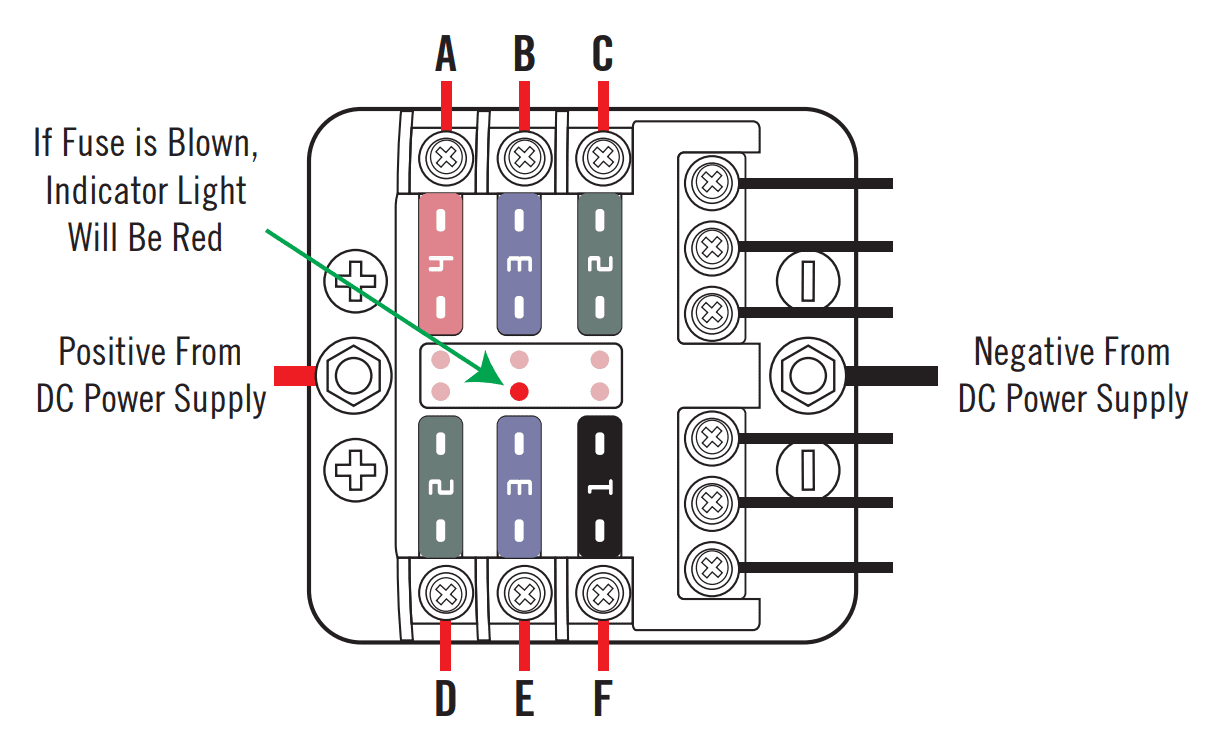
If any of the following components are not functioning, always check the blade fuse box (located under the hood in the back left corner of the printer) for a solid red light. This indicates a blown blade fuse.
A – Vacuum Platen – 4 Amp
If there is no power coming to the Vacuum Platen Indicator Lights or Fans
B – Servo Drive – 3 Amp
If the platen will not move in or out of the G4 by either the screen or green button
C – Top Cover LED – 2 Amp
If there is no light on the inside of the hood but the light button has been pressed
D – Ink Mist Extraction – 2 Amp
If the ink mist extraction fans are not on when the heads are printing
E – SCB – 3 Amp
If the G4 screen is black and will not power on by pressing and holding the button
F – Green Load Button LED – 1 Amp
If the green load button is not glowing green